
 EN
EN



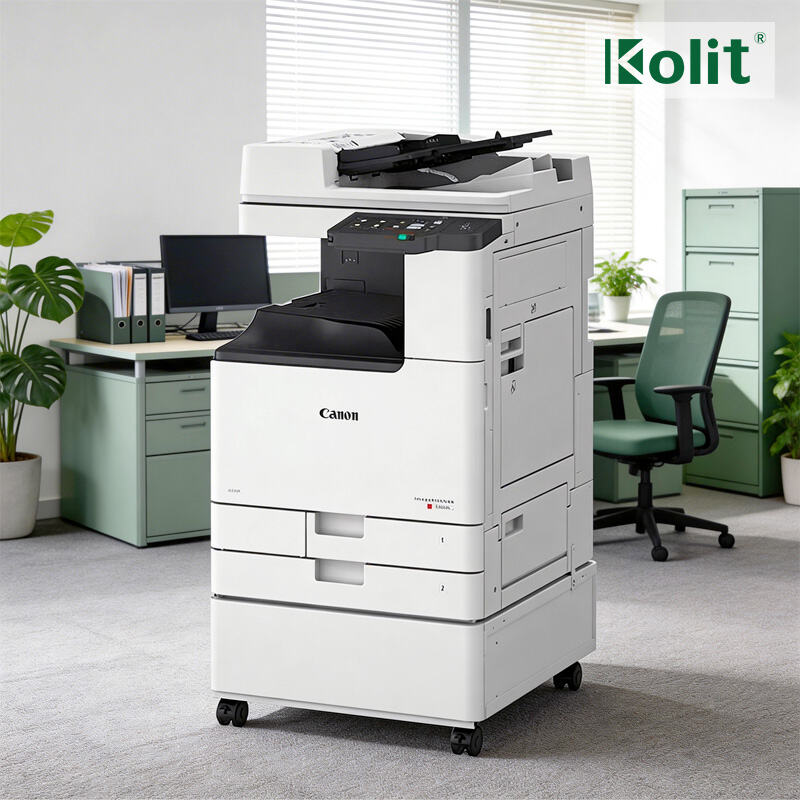
Speed and Throughput: How Modern Copiers Accelerate Daily Workflows
Measuring Real-World Impact: ppm, Warm-Up Time, and First-Copy-Out
Raw pages-per-minute (ppm) ratings only tell part of the story. Real-world throughput depends on three metrics: sustained ppm, warm-up time, and first-copy-out speed. For example, a 70 ppm copier that takes 30 seconds to warm up and 8 seconds for the first copy will actually process a 10-page job in about 20 seconds — not the 8.6 seconds that simple arithmetic suggests. The difference grows with smaller jobs, which dominate daily office work. A leading manufacturer’s 2023 benchmark found that models with a first-copy-out under 5 seconds and instant warm-up technology completed 41% more batch jobs per hour than older units. When evaluating a copier, look beyond peak speed: focus on the time it takes to start and finish typical tasks, not just the top number on the spec sheet.
Case Study: Midsize Law Firm Achieves 37% Faster Document Turnaround with 85+ ppm Copier
A 120-attorney law firm replaced its aging fleet of 45 ppm copiers with a single 85 ppm device optimized for low warm-up and sub‑4‑second first-copy-out. Over a six‑month period, the firm tracked an average document turnaround time drop from 14.2 minutes to 8.9 minutes — a 37% improvement. The gains came largely from eliminating the 20‑second wait for the first page and reducing multi‑page job processing on high‑volume days. Partner reviews, contract binders, and court filings all moved faster, directly boosting billable hours and closing timelines. This underscores that a copier’s real productivity lies not just in its top speed, but in how quickly it delivers the first completed document.
Smart Scanning and OCR Automation: Turning Paper into Actionable Digital Workflows
One-Touch Scanning to Searchable Cloud Archives (PDF/A, Metadata, Auto-Indexing)
Modern copiers transform paper documents into searchable digital assets with one-touch scanning. Users can send scanned materials directly to cloud storage platforms, converting physical pages into organized, retrievable files. The technology generates PDF/A files—a standardized format for long-term preservation—while automatically embedding metadata like document type, date, and keywords. This auto-indexing capability eliminates manual filing, enabling instant retrieval through keyword searches across cloud archives. For instance, legal teams can locate contracts by client name or effective date in seconds rather than hours, accelerating research and compliance checks. Optical Character Recognition (OCR) converts scanned text into editable and searchable content, making every word within documents discoverable.
Why Most Offices Leave 62% of OCR Capabilities Unused — And How to Fix It
A 2024 industry survey reveals that 62% of OCR features in office copiers remain underutilized, creating significant workflow inefficiencies. This gap often stems from inadequate user training and complex configuration interfaces that discourage exploration of advanced functions. Employees may default to basic scanning without activating OCR or metadata tagging, missing opportunities to automate data extraction and categorization. To address this, organizations should:
- Conduct workflow analyses to identify OCR-optimizable tasks like invoice processing or contract reviews
- Implement role-based training programs demonstrating OCR’s time-saving applications
- Simplify copier interfaces through preset "scan profiles" for common document types
- Integrate OCR outputs directly into business software (e.g., extracting dates into calendar systems)
Businesses that systematically address these adoption barriers typically reduce document handling time by 30–45% while improving data accuracy.
Cloud-Native Connectivity and Remote Management: Empowering Hybrid Teams
Modern copiers now offer cloud-native connectivity that simplifies remote management and empowers hybrid teams. IT administrators can monitor devices, update firmware, and control access from any location, eliminating the need for on-site intervention. This architecture directly supports distributed workforces by providing secure, real-time oversight of every machine in the fleet.
Seamless Integration with Dropbox, OneDrive, and Google Workspace
Today’s office copiers integrate natively with leading cloud storage platforms such as Dropbox, OneDrive, and Google Workspace. Users can scan documents directly to their preferred cloud folder with a single touch, bypassing manual file transfers and local network drives. The system automatically applies metadata, renames files based on OCR content, and organises them into predefined folder structures. For hybrid teams, this means a scanned contract or invoice is instantly accessible to colleagues regardless of location. One field test showed that employees saved an average of 12 minutes per day by eliminating the scan-to-email-and-save routine. The copier’s embedded cloud connectors also support simultaneous uploads to multiple destinations, enabling workflows that bridge internal and external collaboration platforms without friction.
Over-the-Air Updates and Predictive Maintenance Cut IT Support Tickets by 41%
Remote management extends beyond connectivity into proactive maintenance. Over-the-air firmware updates allow IT teams to patch security vulnerabilities, add features, and fix bugs without visiting each machine. Coupled with predictive maintenance—which uses telemetry data to forecast component wear—the copier can schedule toner replacements or drum changes before a jam occurs. According to a 2024 industry study, organizations that enabled over-the-air updates and predictive diagnostics saw a 41% reduction in IT support tickets related to copier issues. Downtime from firmware failures decreased by nearly a third, and remote troubleshooting allowed technicians to resolve 70% of problems without a site visit. For hybrid workplaces with distributed office nodes, this capability ensures that printer-related interruptions no longer stall critical document workflows.
Enterprise-Grade Security and Uptime: The Silent Copier Productivity Drivers
Modern copiers handle sensitive data daily, from financial records to employee information. Without robust safeguards, these devices become overlooked vulnerabilities that can halt productivity. Security breaches are rising sharply—a 2023 study found that 56% of organizations experienced a print-related data breach, with average costs reaching $740k per incident. Leading manufacturers address this through features like encrypted data transmission, user authentication, and print release controls that prevent documents from sitting unattended. Secure scanning ensures files reach only authorized destinations, while audit trails track every access point. When security is built into workflows rather than bolted on afterward, compliance becomes easier and downtime is significantly reduced. Enterprise-grade reliability works similarly: advanced error prevention and high MTBF ratings maintain data integrity, ensuring the copier remains accessible 24/7. This dual focus on security and uptime transforms the copier from a simple output device into a critical business asset that directly drives workplace productivity and regulatory compliance.
Ready to Transform Workplace Productivity with 2026-Grade Office Copiers?
Modern office copiers are no longer basic printing devices—they are productivity engines that power efficient, secure, and hybrid-ready document workflows. Speed optimization, smart OCR automation, cloud connectivity, and enterprise security directly boost daily efficiency and reduce operational risks. Partnering with a trusted B2B supplier ensures you access high-performance, business-tailored copier solutions.
For premium 2026 office copiers and all-in-one managed print services (MPS), partner with Kolit—a leading global provider with 30+ years of printing industry expertise. As an authorized distributor for Ricoh, Canon, Xerox, and Konica Minolta, we offer brand-new, eco-friendly remanufactured, and OEM-customized copiers tailored to SMBs, enterprises, and global OEM partners. Our solutions include cloud integration, predictive maintenance, and enterprise security, with full ISO/CE/ROHS compliance and dedicated certified engineer support. Contact us today for a no-obligation consultation and customized office copier solution to elevate your workplace productivity.
FAQ
Q: What factors impact the real-world speed of a copier?
A: Key factors include sustained pages-per-minute (ppm), warm-up time, and first-copy-out speed. Together, these metrics determine how quickly tasks are completed, particularly for smaller or batch jobs.
Q: How can my office optimize the use of OCR features?
A: Conduct workflow analyses, provide user training, simplify copier interfaces with preset "scan profiles," and integrate OCR outputs into existing business software for more efficient usage.
Q: What is the benefit of cloud-native copiers for hybrid teams?
A: Cloud-native copiers allow instant document sharing via platforms like Dropbox, OneDrive, and Google Workspace. They also enable IT teams to remotely manage and troubleshoot the devices, reducing downtime and support tickets.
Q: How do modern copiers ensure data security?
A: Features like encrypted data transmission, user authentication, and print-release controls prevent unauthorized access, while audit trails improve compliance monitoring.
Q: What is predictive maintenance, and how does it benefit businesses?
A: Predictive maintenance uses telemetry data to forecast wear on copier components, allowing proactive scheduling of repairs or part replacements. It reduces downtime and minimizes support requests.
Table of Contents
- Speed and Throughput: How Modern Copiers Accelerate Daily Workflows
- Smart Scanning and OCR Automation: Turning Paper into Actionable Digital Workflows
- Cloud-Native Connectivity and Remote Management: Empowering Hybrid Teams
- Enterprise-Grade Security and Uptime: The Silent Copier Productivity Drivers
- Ready to Transform Workplace Productivity with 2026-Grade Office Copiers?
- FAQ